


Dmitry E.
asked • 08/15/23Recording from 8/12
Hi,
I had a recording from 8/12 and it seems to have expired. Could I please access this video as I didn't get a chance to review it before it went away. Thank you for all.
-Dmitry
More
1 Expert Answer

Meghan C. answered • 12/30/23
Tutor
4.8
(170)
Fun, Engaging, and Energetic Tutor! Math, ELA, Test Prep and More!
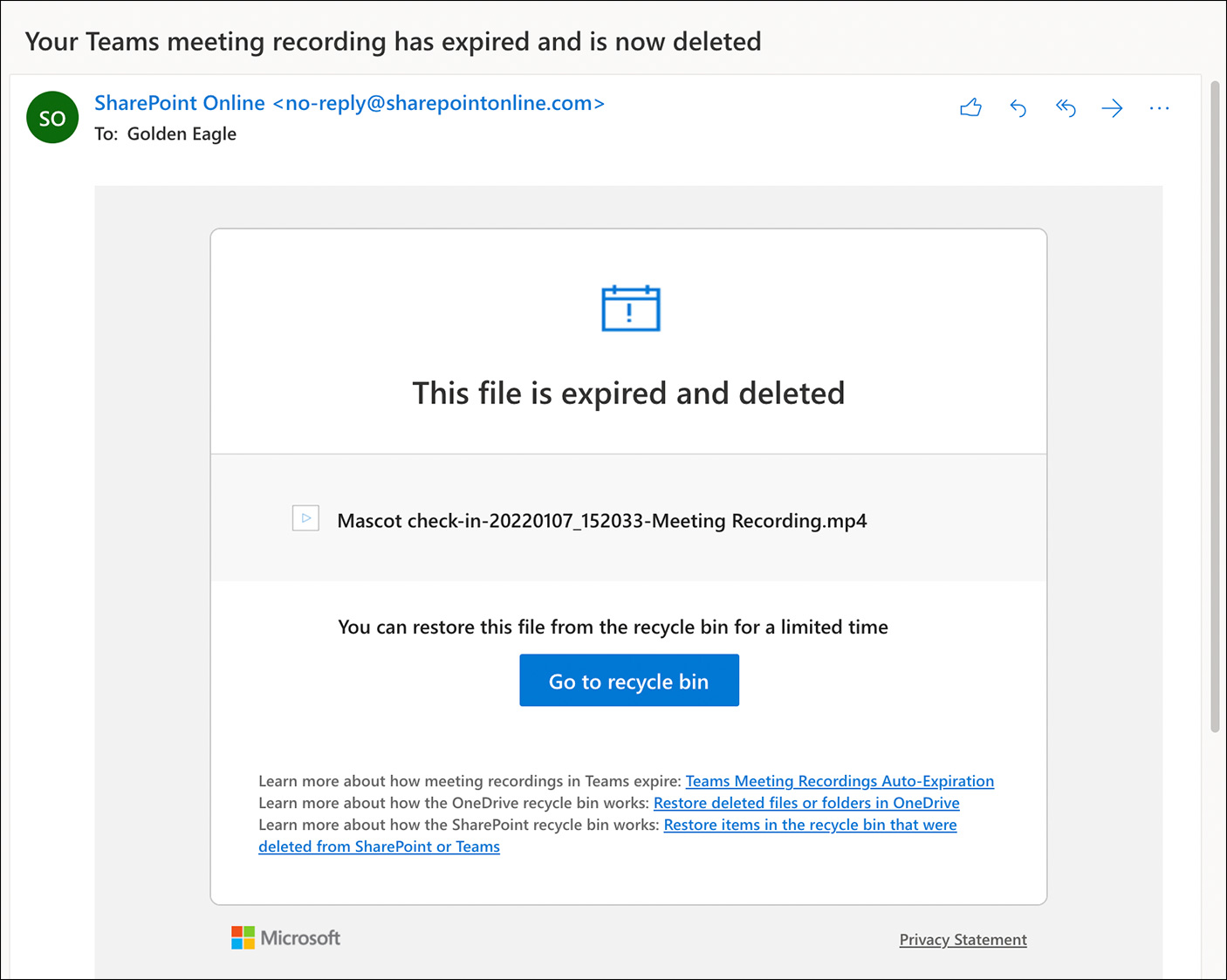
- Go to the email notification with the subject, "Your Teams meeting video has expired and is now deleted." Click the "Go to the Recycle Bin" button.
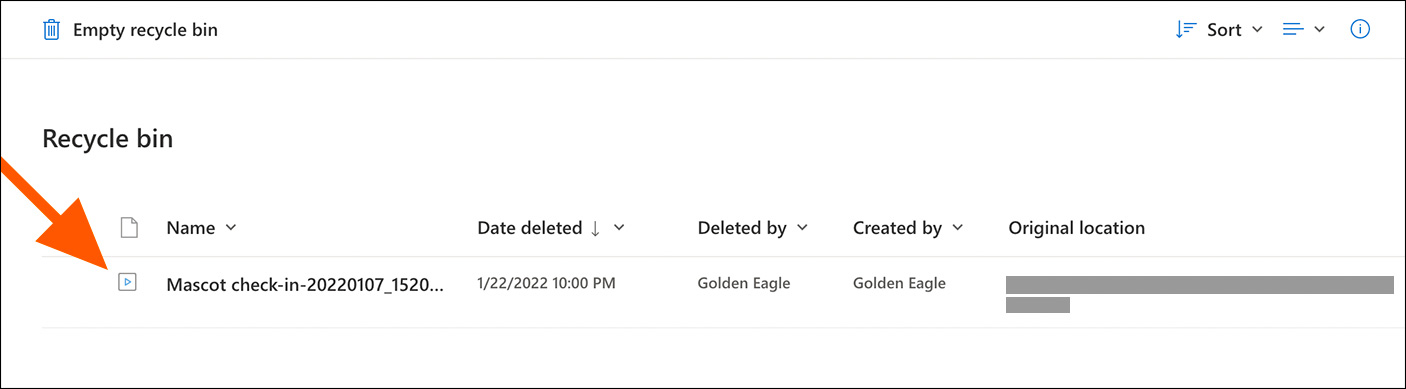
- Your web browser opens showing the Recycle bin. From the Recycle bin, select the video recording to restore.
- Upon selection of the video file, the Restore button appears. Click or tap Restore.
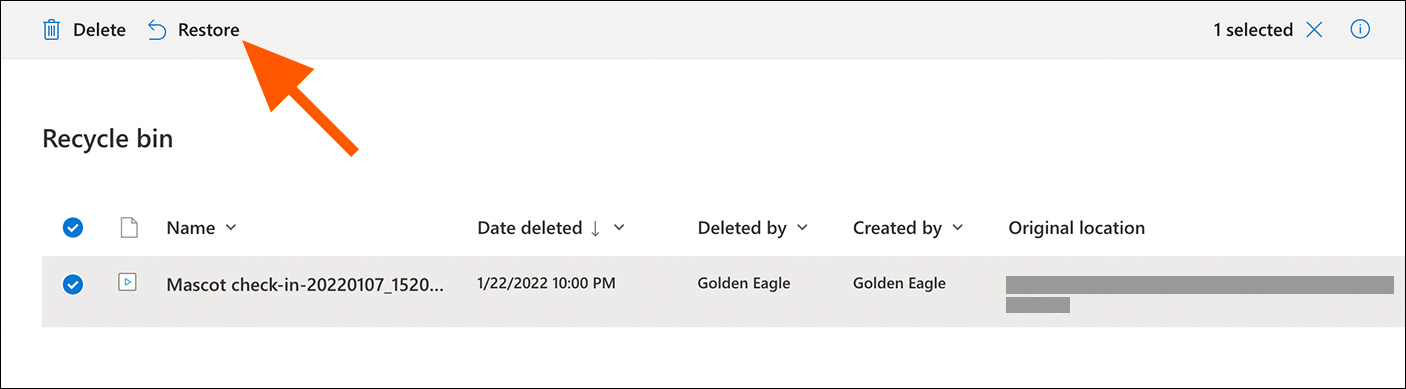
- Your video moves out of the Recycle bin and is restored to its original location. The expiration date setting automatically changes to "No expiration."
Still looking for help? Get the right answer, fast.
Ask a question for free
Get a free answer to a quick problem.
Most questions answered within 4 hours.
OR
Find an Online Tutor Now
Choose an expert and meet online. No packages or subscriptions, pay only for the time you need.



Melanie P.
Hi Dmitry, Ask an Expert is a platform for academic questions. Please visit our Help Center at https://support.wyzant.com/hc/en-us, and ask your question. Or let our Customer Support department help you! Contact us at [email protected] and we will follow up as soon as we can.08/16/23